How can I reduce my project file size?
To reduce the size of your project file, open the JewelFile Settings form (HOME > Settings > Options > JewelFile Settings). Click Clean up, check the oldest (or all) base lines, and then click OK.
The selected baselines from the .jewel solution file are removed.
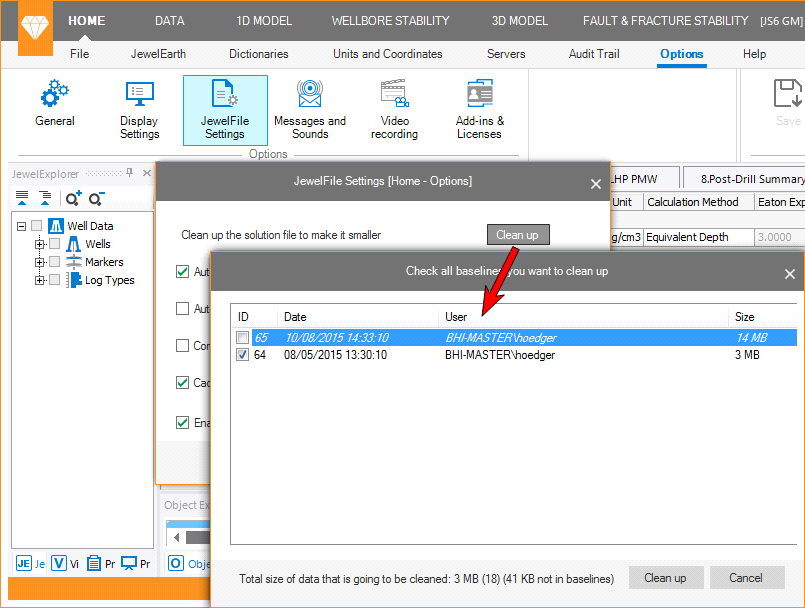
click to enlarge
Important
When you remove the baselines, you are not able to restore your project back to prior baselines.